
Here is an alternative way to edit discharged medications directly from the “discharge navigator.”
Please refer to the attached pictures for more information. Here are the steps:
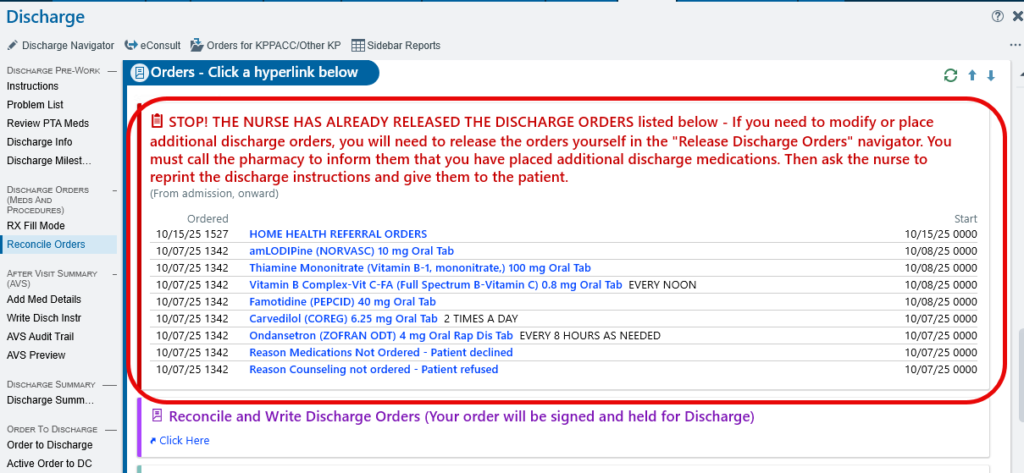
1. Once discharge orders are released (indicated by the red sign) and you need to edit medications
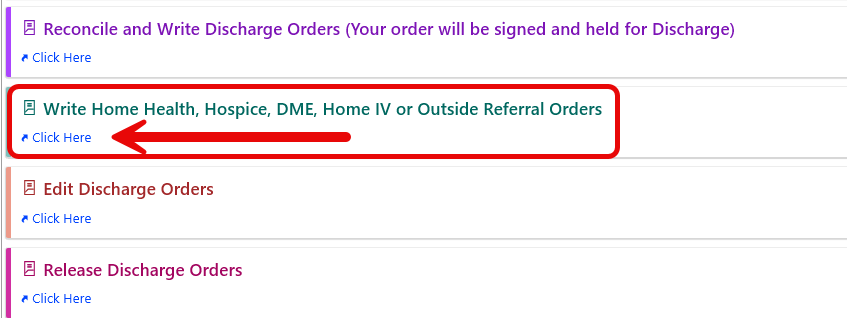
2. Click on “Write Home Health, Hospice, DME, Home IV or Outside Referral orders”
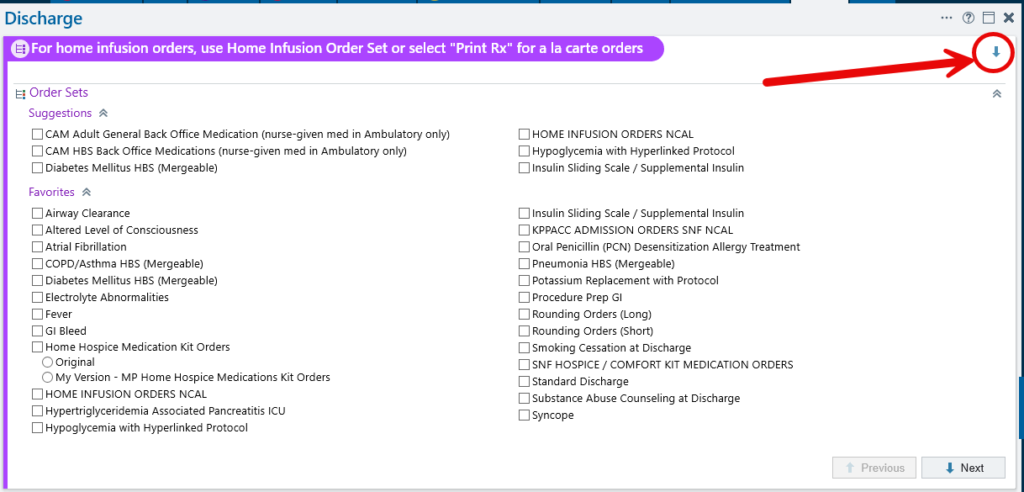
3. Click the small down arrow to expand (see picture)
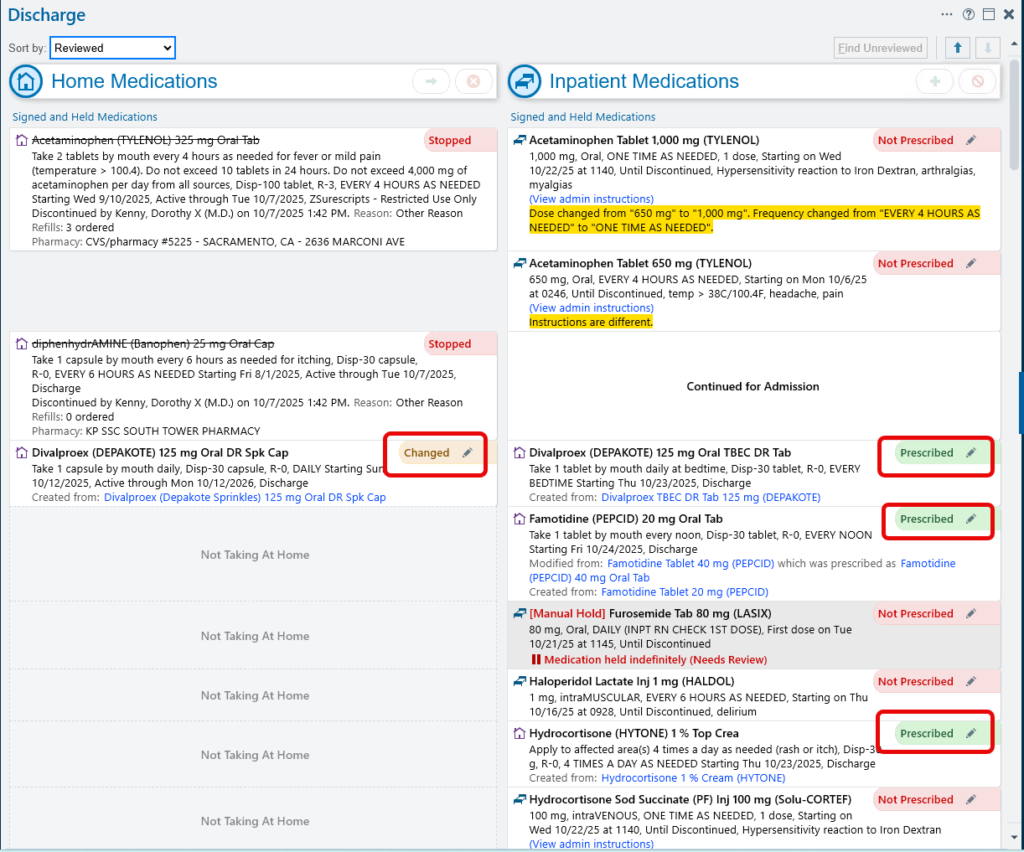
4. This will take you to the discharge navigator, where you can use the “pencil” icon to edit home or newly prescribed medications.
Leave a Reply